
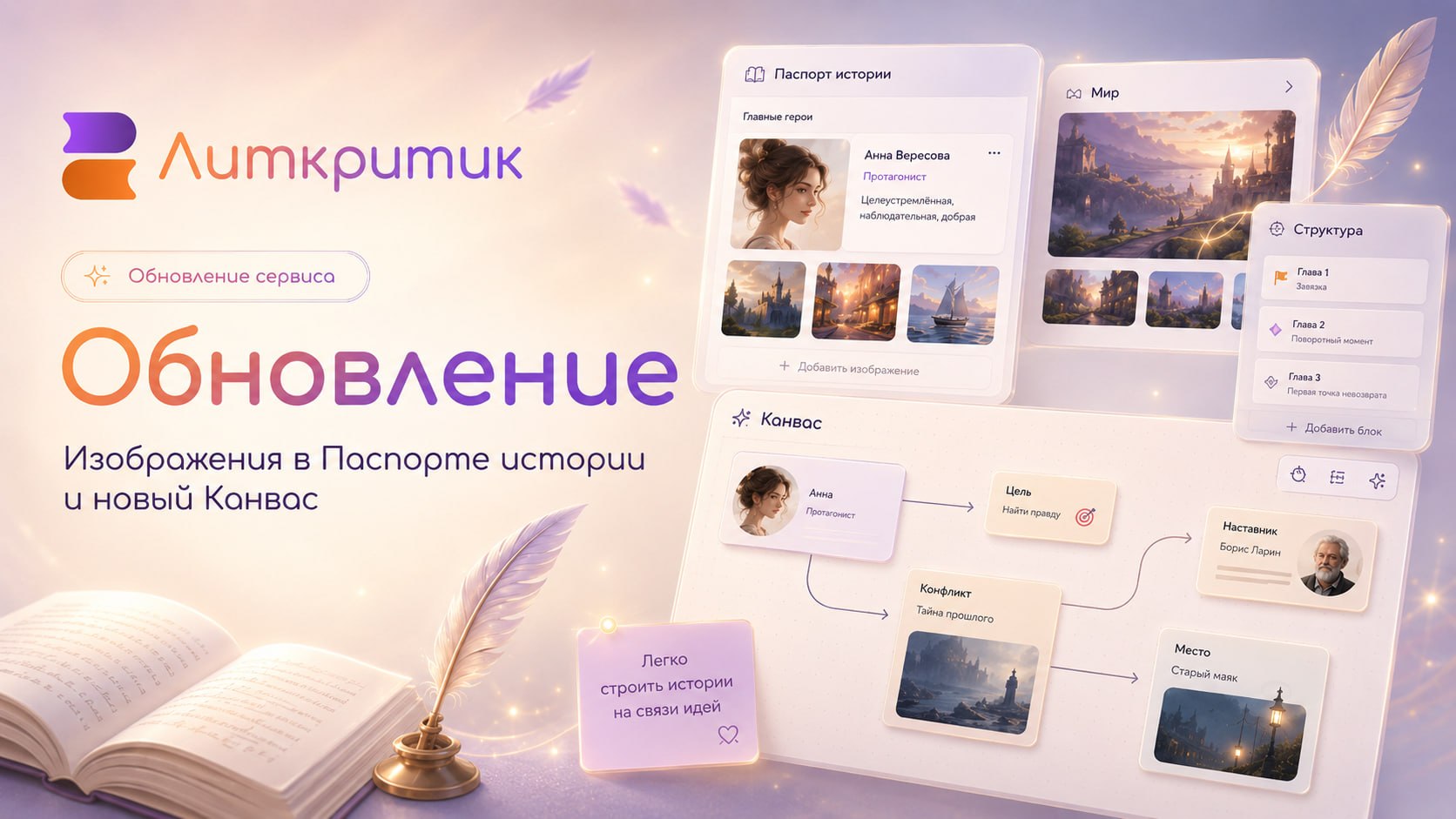
🎚 New Update Is Now Live
1️⃣ Added images to Story Passport
Now you can add images to cards in the Characters, World, and Structure sections.
You can upload your own images or choose from our library. Each card can have up to 4 images. One can be set as the main image, which will appear in the preview.
If you don't need images, you can disable them in the settings next to the Story Passport section title.
2️⃣ Board / Canvas
We've added a new tool — the Board. You can open it via the menu Other → Board.
On the Board you can:
- add cards from the Story Passport: Characters, World, Structure;
- create new cards;
- add notes, images, and groups;
- link cards with arrows;
- label connections;
- change colors, backgrounds, and element positions.
❗️❗️❗️❗️
⏺Cards from Characters, World, and Structure are linked to the Story Passport.
⏺If you add, modify, or delete such a card on the Canvas, the changes will be reflected in the Story Passport.
More details on working with the Canvas can be found in our article
3️⃣ Also
- Fixed the mobile version: opening and closing the side menu should no longer trigger analysis;
- Improved card and field generation;
- Faster project loading;
- Continuing to refine image upload.
We hope you like the update, and we will continue to improve and develop the service together with you ❤️
Comments
0No comments yet.
Sign in to join the discussion.