
Short Answer
In your first playthrough, don't try to remember all the items. First, learn the major sections of the store, place obvious items, use shelf hints if an item doesn't fit, and as soon as you feel you're constantly running back and forth, unlock the Extra Carry upgrade.
The safest strategy for a beginner looks like this:
- first, clear simple categories;
- don't create huge piles of different items;
- if sugar, shampoo, wine, bento, ramen, or frozen products are not where you expected, don't start guessing.
The store contains 4668 items and 528 shelves. The winner here is not the one who remembers every item, but the one who quickly navigates by sections.
How Supermarket Chaos Begins
At first glance, the task seems simple: you need to put every item back in its place.
But the scale quickly changes your perception of the game. You'll have to sort not dozens, but thousands of items onto hundreds of shelves.
If you just grab all the familiar items in a row, the first few minutes will seem productive. Then chaos begins: you forget which shelves you've already checked, where the temporary piles are, and which items you've already tried to place unsuccessfully.
So the first rule is very simple.
Don't sort the store by individual items. Sort it by large sections.
At the start of the game, you should focus on a few things:
- remember the main sections of the store;
- first place the most obvious items;
- look at the shelf's reaction if an item doesn't fit;
- increase inventory capacity as early as possible;
- temporarily set aside questionable items rather than trying to place them at any cost.
This guide is designed for the first hour of gameplay. If you're already going for 100%, it's better to jump straight to the achievements guide. If you're only interested in the upgrade order, check out the separate material on the best upgrades.
What Kind of Game Is This?
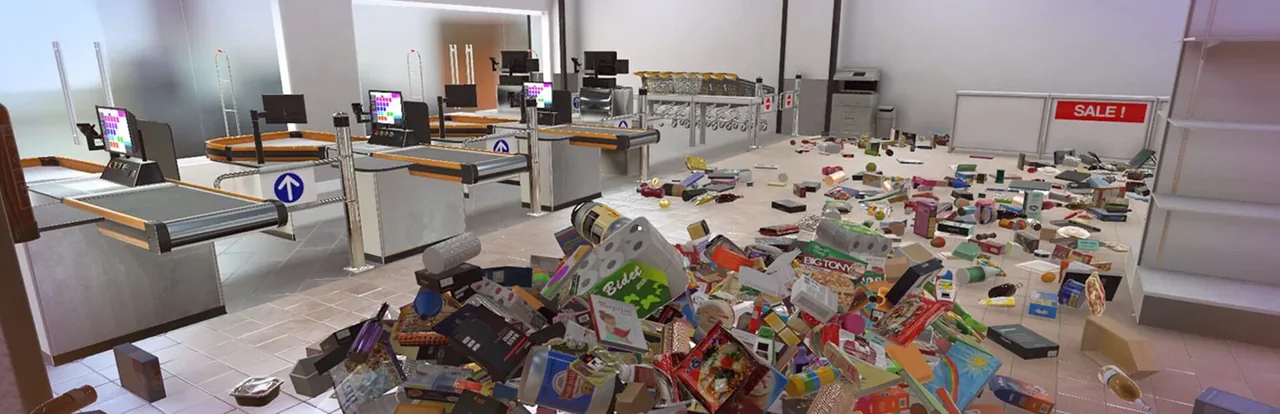
Supermarket Chaos is not an economic supermarket simulator.
You don't need to:
- set prices;
- purchase stock;
- hire employees;
- manage cashiers;
- handle store finances.
The core mechanic of the game is item classification. You pick up items from the floor, find the right section, and return them to the correct shelves.
That's why strategy matters more than management here.
Number | What it means | How to use |
|---|---|---|
4668 items | Number of items until the store is fully cleaned | Don't try to remember all items. Work by sections. |
528 shelves | Number of placement spots | Remember store sections, not individual items. |
500 items | About 10.7% of the entire store | By this point, your route should already be clear and comfortable. |
777 items | Approximately 16.6% of the store | If there are already huge mixed piles around, it will only get harder. |
The first 500 items make up only a tenth of the game, but it's during this time that habits are formed that will help you until the very end of the playthrough.
By this point, it's advisable to:
- know the location of the main departments;
- understand how shelf checking works;
- stop making mistakes that will later cost a lot of time.
Route for the First Hour of Gameplay
The first 60 minutes are not a speed race.
The main goal is to make the store more understandable after each pass.
What to do
First, walk around the store and look at the large signs - Sections are much more important to remember than individual items.
Complete the tutorial - It shows how shelf checking works.
Start with obvious categories - Books, electronics, drinks, frozen foods, bathroom products, and decor are recognized faster than others.
Temporarily set aside unclear items - mistakes and huge piles make the second half of the game much harder.
Buy Extra Carry - The more items fit in your inventory, the fewer pointless trips around the store.
The basic cycle looks like this:
- Pick up obvious items.
- Carry them to the right section.
- Check the shelf's reaction.
- Get money for correct sorting.
- Buy upgrades when you realize you're spending more time running around than actually sorting.
Don't try to perfectly arrange every shelf right away.
At the start, it's important to correctly distribute items. You can worry about neat arrangement later.
Keyboard or Gamepad?
Both options work well, but they suit different situations.
Gamepad is more comfortable if you're going to walk around the store for a long time and sort calmly.
Keyboard and mouse are better when you need to:
- quickly select individual items;
- precisely check several adjacent shelves;
- actively throw items.
If any action feels uncomfortable, don't hesitate to temporarily switch to a different control device.
This is especially true for the Do Not Throw achievement, where a series of quick throws is much easier to perform with a mouse.
But regardless of the control method, the main skill remains the same:
- read department signs;
- use shelf reactions;
- don't turn the store into a second dump.
Checklist for the First 500 Items
Before Starting Sorting
- Look around the major sections of the store.
- Complete the tutorial task.
- Choose two simple categories to start with.
First Money
- Only place obvious items.
- Don't waste time on questionable items.
- As soon as you feel a lack of space, buy Extra Carry.
First Traps
- Check sugar, coffee, tea, sweets, and candies through shelves.
- Don't confuse personal hygiene products with household chemicals.
- Don't put wine, alcohol, and soda on the same shelves.
Before Reaching 500 Items
- Make small temporary piles by section.
- Start buying upgrades when running around takes too much time.
- If the same item consistently doesn't fit, refer to the section map.
If you're planning to 100% the game, it's better to open the achievements list after the first few shelves. Some of them are much easier to do while the store is not yet in perfect order.
Which Sections to Sort First
I prefer to start with categories that are easy to identify even before picking up the item.
Section | Examples | Features |
|---|---|---|
Books and Electronics | books, routers, gamepads, headphones, cases | Usually easy to recognize, but some item names can be confusing. |
Decor | vases, frames, decorations | Shapes differ greatly from food products. |
Frozen Foods | pizza, french fries, ice cream | Simple category once you find the freezers. |
Bathroom and Cleaning Products | shampoos, toothpaste, bleaches | Personal hygiene and household chemicals may be in different sections. |
Beverages | soda, beer, wine, alcohol | Not all bottles belong to the same department. |
Breakfast and Sweets | sugar, tea, coffee, candies, pastries | One of the most confusing categories at the start of the game. |
The safest categories remain books, electronics, decor, beverages, and frozen foods.
But don't rush with food.
Breakfasts, sweets, tea, candies, bento, meat, ramen, and frozen foods often look similar. It's better to double-check the shelf than to spend a long time looking for a mistake later.
Use Shelf Hints
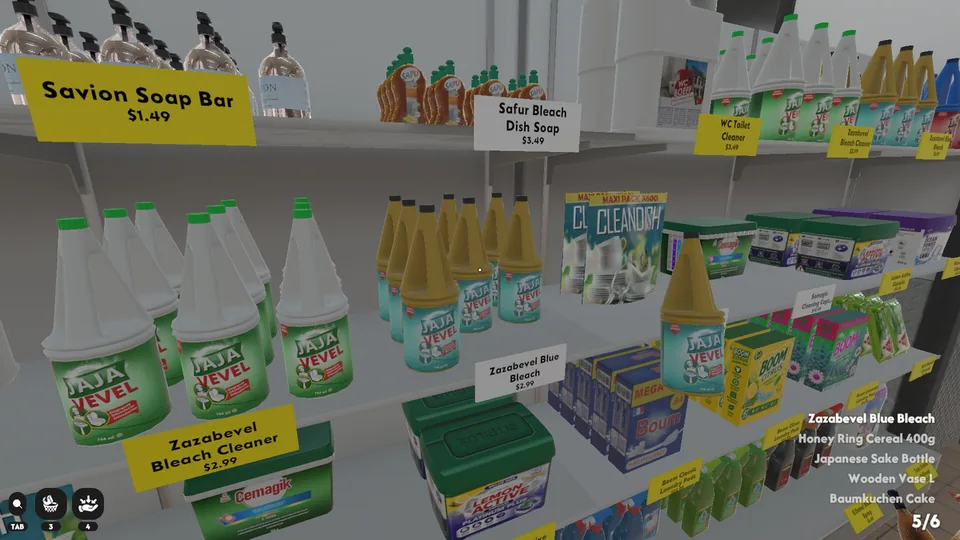
Shelves teach faster than any guide.
If an item doesn't fit, don't sequentially check all neighboring shelves.
It's better to stop and think about which large section it belongs to.
A good example is sugar.
It seems like an obvious product, but it can easily be confused with sections:
- breakfasts;
- sweets;
- tea;
- candies.
So never rely solely on the item's name.
My scheme is very simple:
- Try the most obvious section.
- If it doesn't fit, look for a different category, not neighboring shelves.
- If still unclear, put the item in a temporary pile.
- Later, check the section map.
First mistakes cost almost nothing.
After two thousand items, constant incorrect attempts turn the store back into chaos.
Which Upgrades to Buy First
The top priority is Extra Carry.
The starting inventory is too small. Most of the time you just have to run.
After increasing capacity, the efficiency of each route noticeably increases.
Then you can gradually unlock:
- Matchfinder — helps find other copies of an item you're already holding;
- Shelf Finder — shows the correct shelf if you know the category but forgot its location;
- increased movement speed.
The latter is useful, but it doesn't fix mistakes with incorrect item classification.
How to Make Temporary Piles
Temporary piles only work when there is order in them.
Never put all found items into one huge pile.
It's much more convenient to make small groups:
- drinks near the beverage department;
- food near the grocery aisles;
- personal hygiene products near the corresponding department;
- household chemicals separately;
- books and electronics near their shelves.
If a pile ends up with three or four completely different categories, it's better to stop and first sort out what is already clear.
A temporary pile should reduce the number of decisions, not create new ones.
Beginner Mistakes
| Mistake | Why it's bad | How to do better |
|---|---|---|
Picking up only the most noticeable items | They are often far from the right department. | Completely clear the nearest section |
| Trying to immediately identify every item | Too much time spent on questionable categories. | First determine the general section and come back later. |
Ignoring shelf hints | Constantly checking neighboring shelves is almost always useless. | Immediately change your search direction. |
Putting off buying upgrades for too long | Over time, more time is spent walking than sorting. | Buy Extra Carry early, then move on to search upgrades. |
Making huge mixed piles | You're just moving the mess to another place. | Create small piles by section. |
The most common mistake is overconfidence.
The name of an item may seem completely obvious, but the game assigns it to a different category.
It's better to check a shelf once, get feedback, and move on, than to spend several minutes trying to prove the game wrong.
Comments
0No comments yet.
Sign in to join the discussion.