
Login Issue with Gosuslugi on iPhone 🇷🇺📱
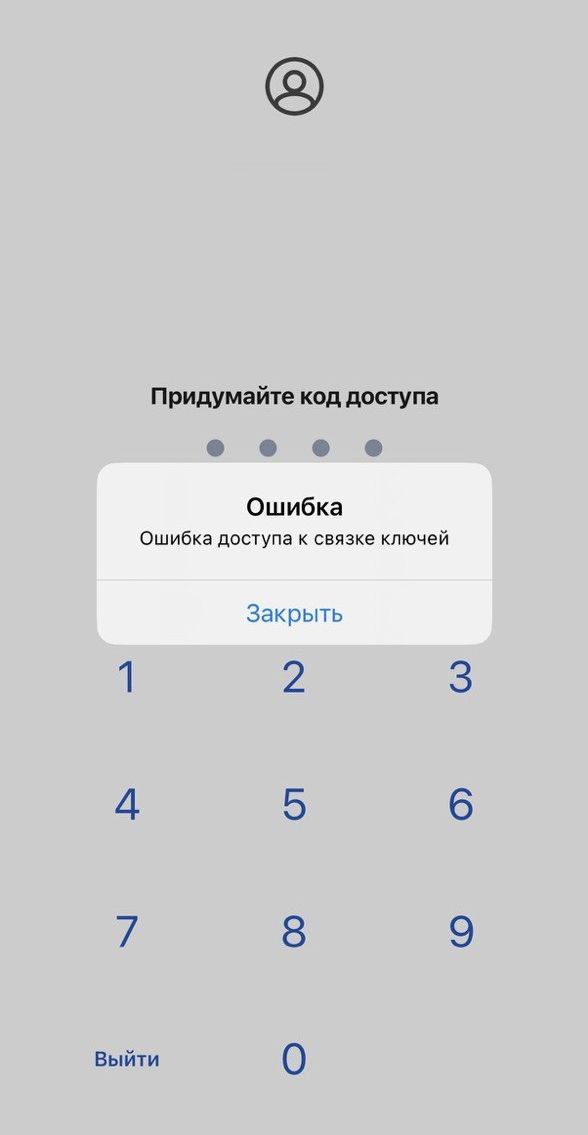
I'll share a solution for when an iPhone shows an error accessing your Gosuslugi account via browser or logging into the Gosuslugi app on iOS — "keychain access error".
It occurs only when your account has login via code confirmation sent to the MAX messenger enabled 📲
You enter your Gosuslugi login and password, proceed to the code retrieval step, confirm device binding in MAX, wait for the code in MAX, and then encounter the above error.
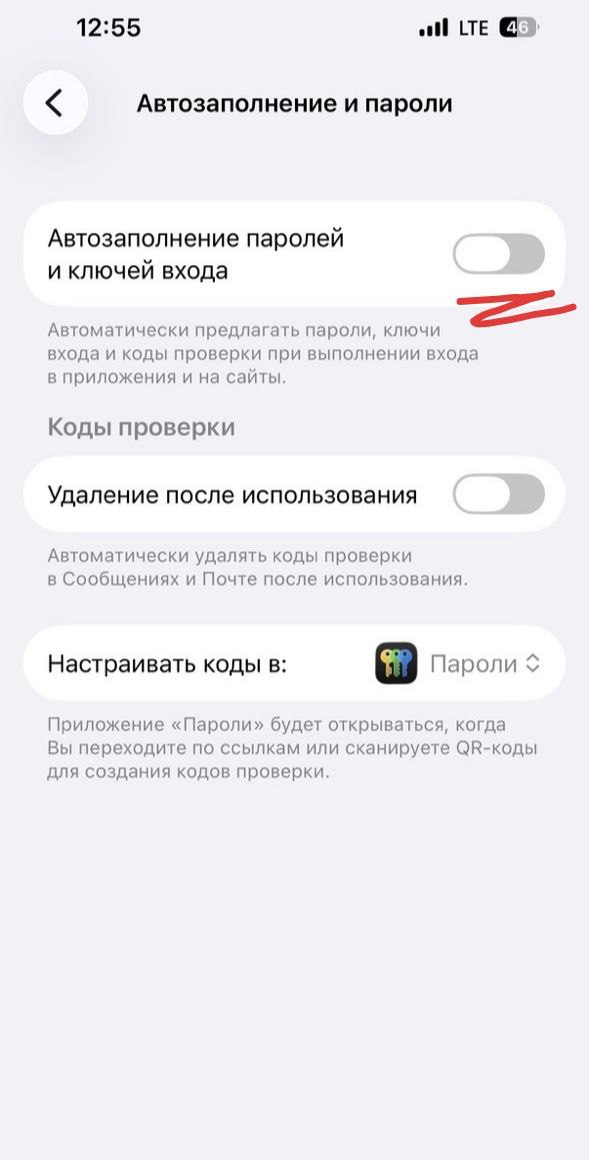
To fix the issue, go to iPhone Settings —> General —> Autofill & Passwords —> !! turn off !! Autofill Passwords and Passkeys (see screenshot)
Apparently, autofill of the code received via MAX does not work in the input field of the browser or Gosuslugi app, and the user gets an error.
Hope this helps someone find a solution more easily.
#interesting #lookwhatifound
Comments
0No comments yet.
Sign in to join the discussion.