
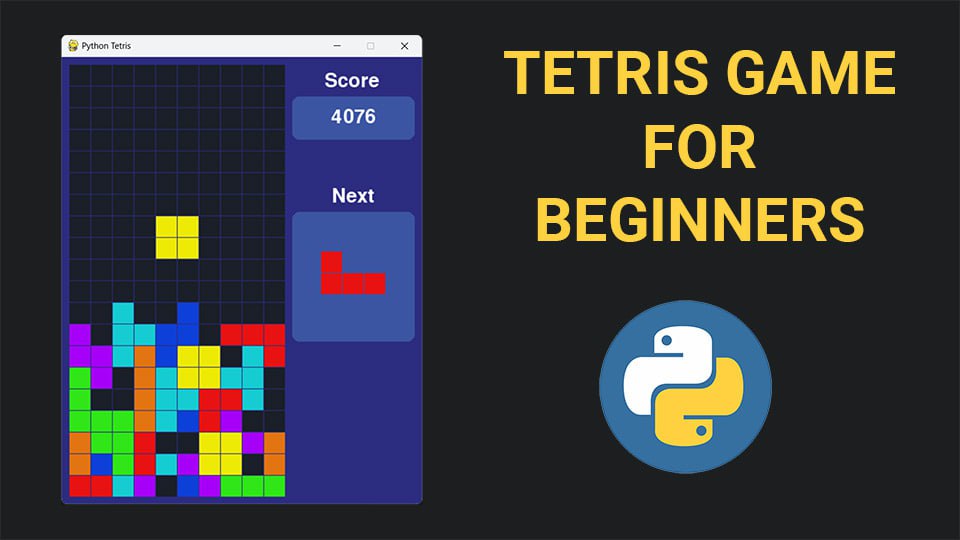
Tetris (and Snake) is the "Hello World" of game development. It seems hard to mess up, but the author of this repository tried very hard. Let's break down a project that is presented as "educational material for beginners." Yes, the code works, the project is complete, and there's even a YouTube video. But in reality, it teaches bad habits.
1️⃣ No Entry Point
In
main.py, the code is just dumped at the file root. No if __name__ == "__main__":. If you try to import something from this file (though why would you?), Pygame will immediately initialize and a window will open.2️⃣ Namespace Issues
In
game.py, we see a beauty: from blocks import *.Remember: every time you use
import *, you clutter the namespace with junk. Which classes came in? From where? Nobody knows.3️⃣ God Class
The
Game class does everything: manages logic, calculates scores, loads sounds, plays music, and... draws blocks.This is a clear violation of SRP (Single Responsibility Principle). Game logic should not know about
pygame.mixer or how to draw rectangles.# Inside Game.__init__
self.rotate_sound = pygame.mixer.Sound("Sounds/rotate.ogg")
pygame.mixer.music.load("Sounds/music.ogg")Want to change the sound library? Good luck rewriting the entire game core.
4️⃣ OOP Overkill: Inheritance for... nothing
In
blocks.py, we see a classic mistake: creating seven different classes (LBlock, JBlock, etc.) that inherit from Block only to put a dictionary of coordinates in __init__.This is classic overengineering. All these classes have no unique behavior, only different data.
How it should be: One
Block class that accepts a shape type or config upon initialization. Data separate, logic separate.5️⃣ Position Class — Why?
class Position:
  def __init__(self, row, column):
    self.row = row
    self.column = column
Creating an entire class to store two integers is overkill. Python has
namedtuple, dataclasses, or even just tuples (row, col).6️⃣ Magic Numbers and Hardcoding
if self.next_block.id == 3:
    self.next_block.draw(screen, 255, 290)
elif self.next_block.id == 4:
    self.next_block.draw(screen, 255, 280)
This is pure "hacky" UI. Instead of calculating the center of the preview area, the author just tweaked coordinates for specific block IDs. Add a new block, and the whole layout breaks.
7️⃣ Score Handling from the Stone Age
In
game.py, we see this:def update_score(self, lines_cleared, move_down_points):
if lines_cleared == 1:
self.score += 100
elif lines_cleared == 2:
self.score += 300
# ... and so onHow it should be: A simple dictionary or list of coefficients would make this code one line.
elif chains for simple mappings are a sure sign the author doesn't know data structures.🧑⚖️ Verdict:
As a learning project, it's okay. If you're learning from such tutorials, remember: their goal is to show a result in a 20-minute video, not to teach you to write proper code. Don't carry these patterns into production.
#roasting_code
Comments
0No comments yet.
Sign in to join the discussion.