
Colleagues, important technical instructions for Bitrix specialists and IT professionals.
Due to the blocking of the previous domain kartadela.ru the platform has been moved to a new domain karta-dela.ru. Old addresses no longer work, so in all connected Bitrix24 offices, it is necessary to update the local application settings.
What needs to be done in each Bitrix24 office:
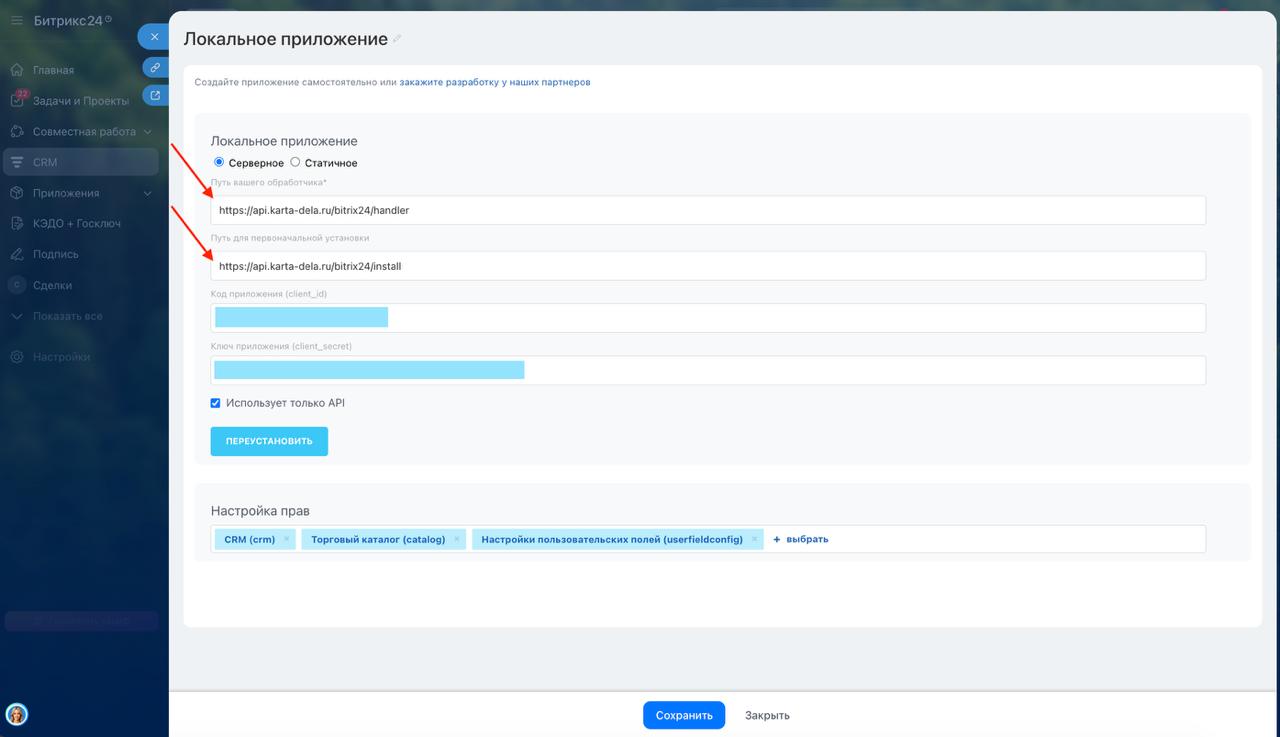
1. Open the local application settings
Go to the section where the application parameters are specified.
2. Replace old links with new ones
Two fields need to be updated:
— Your handler path
was:
api.kartadela.ru/bitrix24/handler
now:
api.karta-dela.ru/bitrix24/handler
— Initial installation path
was:
api.kartadela.ru/bitrix24/install
now:
api.karta-dela.ru/bitrix24/install
3. Click "Reinstall"
After replacing the links, reinstall the application.
4. Click "Save"
Make sure the new settings are saved.
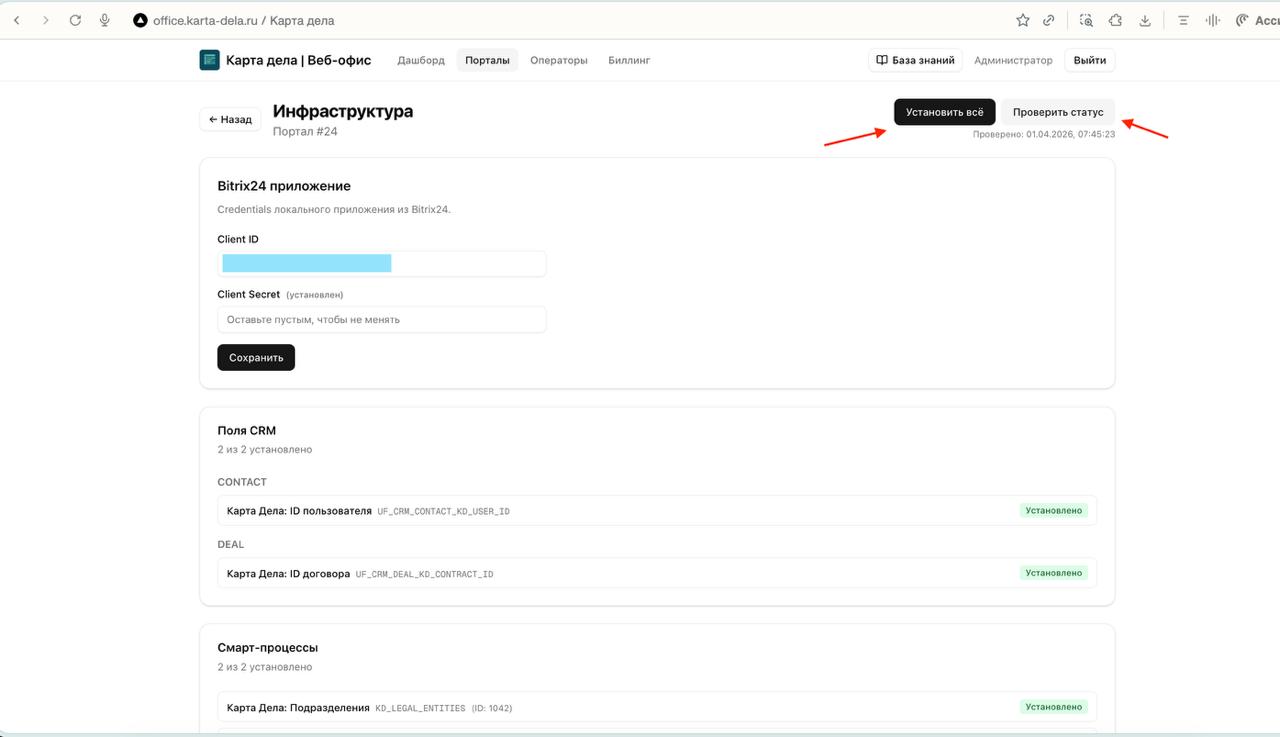
5. Reinstall fields in the office
After reinstalling the application, you need to reinstall the fields in Bitrix24.
Important:
— old links are completely out of service;
— redirect from the old domain was intentionally not set up, as the previous domain was flagged as suspicious;
— if you do not update the settings, the application and related functions in Bitrix24 will work incorrectly or not work at all.
Request:
— go through all active offices without exception;
— after updating, check the correctness of field installation;
— separately check offices that have already reported failures or lack of connection with the application.
This is an emergency technical migration caused by external blocking. We have already tried too long to get a response from Megafon through normal channels, but in the end we had to urgently save the working infrastructure. Now the priority is one: to transfer all Bitrix24 offices to the new domain as quickly as possible and restore stable operation for clients.
Comments
0No comments yet.
Sign in to join the discussion.